A Professional's Take on the New Opendns Family Shield Parental Control
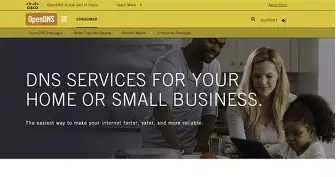
Opendns Family Shield Parental Control is a DNS-based filtering service designed to provide a simple, network-wide layer of content blocking for households and small environments. This article examines what Family Shield does well, where it falls short, typical buyer concerns, real-world deployment scenarios, and practical recommendations for parents and administrators considering DNS filtering as part of a layered approach to online safety.
Introduction
In a market crowded with parental-control apps, hardware appliances, and subscription services, DNS filtering stands out for its simplicity and low overhead. Opendns Family Shield (offered by OpenDNS, part of Cisco's broader security portfolio) is positioned as a no-friction, free option that blocks common adult and malicious domains at the DNS level. For many buyers the appeal is obvious: set a couple of DNS IP addresses in a router or device and achieve network-wide filtering without installing software per device.
This analysis takes a professional, evidence-based view of Family Shield, focusing on functionality, operational trade-offs, integration with home networks, and realistic expectations. It draws on common use cases — families with young children, small daycare or community centers, and technically minded homeowners — and addresses buyer priorities such as ease of setup, reliability, privacy, and bypass resistance.
What Opendns Family Shield Is and How It Works
At its core, Family Shield is a pre-configured DNS resolver that resolves domain names while blocking a set of categories and domains deemed inappropriate for children (pornography, certain adult content, and known malicious domains). Instead of relying on software to inspect traffic, Family Shield returns filtered DNS responses so that blocked domains fail to resolve on the network that uses its DNS servers.
Key operational characteristics:
- Network-wide coverage: When configured on a router or DHCP server, every device using that network for DNS will inherit the filtering without per-device setup.
- No client software: Works at the DNS layer, so there is no app to install and no background process on tablets, phones, or laptops.
- Pre-set filtering: Family Shield is intentionally simple — it uses a fixed blocklist and is not meant for per-user customization. For more granular control, OpenDNS offers other family and home products with user accounts and customization.
- Free to use: Family Shield is available without subscription, making it attractive to cost-sensitive buyers.
Detailed Product Review and Analysis
This section evaluates Family Shield on multiple practical dimensions: setup, efficacy, performance, privacy, compatibility, and long-term management.
Setup and Usability
Family Shield is designed to be easy to adopt. Typical setup involves entering two DNS IP addresses into one of the following places:
- The home router's WAN or DNS settings
- Individual device network settings (for BYOD or guest devices)
- A DHCP server or local DNS forwarder for more advanced networks
For non-technical buyers, changing DNS in a router GUI can be unfamiliar but most consumer routers allow it in a few clicks. The minimal documentation and the lack of a user account reduce friction, but they also limit visibility: there are no per-user logs or a dashboard with blocked attempts. That simplicity is a feature for those who want set-and-forget protection, but a limitation for those who want insight or customization.
Shop the latest Electronics picks on Amazon.
View Offers →Efficacy and Coverage
Family Shield effectively blocks many well-known adult and malicious domains at the DNS level. For broad category blocking it performs well; the fixed policy covers the most common concerns for younger children. However, DNS filtering has intrinsic limitations:
- Domain-level granularity: Filtering operates on hostnames and domains. It cannot inspect or filter content within an allowed domain (for example, a user-generated content platform) unless that whole domain is blocked.
- Encrypted DNS and bypasses: Devices or apps that use encrypted DNS channels (DoH/DoT) or that hard-code alternate DNS providers may bypass the network DNS settings. Mobile networks and cellular data bypass home DNS completely.
- Application-level traffic: Apps that use IP addresses directly or custom DNS resolvers may not be affected.
For households that pair Family Shield with device-level controls (screen time, app restrictions, supervised accounts), those limitations are manageable. For administrators who need strict, auditable control over users, DNS-only protection is insufficient as a standalone solution.
Performance and Reliability
DNS filtering imposes very little latency in typical conditions. OpenDNS runs a globally distributed network of resolvers, so lookup times are usually comparable to other reputable public DNS services. Performance concerns are rare unless an ISP or local network introduces misconfiguration, or if a device mistakenly uses multiple DNS servers that include an unfiltered resolver.
Reliability is generally high, but buyers should plan redundancy: configure secondary DNS, verify the router pushes the correct DNS addresses via DHCP, and test from multiple devices. OpenDNS provides multiple IPs for resilience.
Privacy and Data Considerations
When using any third-party DNS provider, DNS queries leave the home network and are visible to that provider. OpenDNS logs DNS queries to enforce filtering and maintain security lists. For privacy-minded buyers, this trade-off is important to understand: Family Shield trades some privacy for safety and content blocking. Those who want full privacy while filtering would need more advanced, self-hosted solutions with local policy enforcement.
Compatibility and Integration
Family Shield works with most consumer routers and network environments. It is only incompatible in scenarios where the router firmware restricts custom DNS or when ISPs intentionally lock DNS via DHCP. In such cases, a small workaround can be to set DNS per device or run a local DNS forwarder.
Integration with existing parental tools is straightforward: Family Shield can complement per-device parental controls from OS vendors (Apple, Google, Microsoft) and third-party device management systems used in small educational settings.
Discover deals on Electronics — updated daily.
Browse Now →Real-World Use Cases
Family Shield fits several common situations:
- Busy households with young children: A parent can enable network-level blocking on a home router so that tablets, smart TVs, and guest devices inherit the policy immediately.
- Small daycare or after-school programs: Where budget and administrative overhead are limited, Family Shield offers a low-cost way to reduce accidental access to explicit and malicious content.
- Secondary line of defense: In homes that already use app-based parental controls, Family Shield adds network-wide resilience in case a child changes device settings or uses a device not under parental supervision.
- Temporary or guest protection: For events or gatherings with children present, temporarily switching DNS on the router provides a quick safety measure without reconfiguring each device.
Pros & Cons
- Pros
- Simple network-wide deployment — no per-device installation required.
- Free service with broad blocking of adult and malicious domains.
- Low performance impact; typically minimal additional latency.
- Works well as a baseline layer in a defense-in-depth approach.
- Cons
- Limited customization — Family Shield uses a fixed policy and lacks a user dashboard.
- Bypassable via encrypted DNS (DoH/DoT), VPNs, or cellular networks.
- No per-user logging, scheduling, or fine-grained site allowances without upgrading to other OpenDNS products.
- DNS-level filtering cannot inspect or filter content inside allowed domains or apps that use alternate DNS mechanisms.
Comparison Table
| Solution | Ease of Setup | Customization | Cost | Coverage | Bypass Resistance |
|---|---|---|---|---|---|
| Opendns Family Shield | High — set two DNS IPs | Low — fixed policy | Free | Network-wide (DNS-level) | Moderate — bypassable by DoH/DoT, VPN, cellular |
| OpenDNS Home (Account) | Medium — requires account setup and DNS config | High — custom blocklists, whitelists, logs | Free tier; paid enhancements | Network-wide with more controls | Moderate — same DNS bypass caveats |
| Router Built-in Parental Controls | Varies by router; often GUI-driven | Varies — per-device scheduling, time limits | Included with router | Network-wide, but quality varies | Moderate to high — may block more at routing level |
| Device-level Controls (OS/App) | Low per device; requires setup on each device | High — per-user restrictions and schedules | Usually free | Per device | High if supervised accounts enforced |
| Hardware Appliances / Third-party Services | Low to medium — plug-and-play devices available | High — comprehensive dashboards | Paid — one-time or subscription | Network-wide | High — harder to bypass, some offer TLS inspection |
Buying Guide: Is Family Shield Right for the Buyer?
Choosing the right parental control approach depends on the household profile, technical comfort, and specific objectives. The following guide helps evaluate whether Family Shield is an appropriate component of a family’s online-safety toolkit.
Key Questions to Ask
- Does the buyer control the home router and DHCP settings? If not, Family Shield may be difficult to apply network-wide.
- Is per-user customization or monitoring required? If detailed logs, schedules, and per-user rules are necessary, look at OpenDNS Home with an account, router controls, or device-level solutions.
- How tech-savvy are household members? For set-and-forget protection where minimal administration is desired, Family Shield is attractive.
- Will children use cellular data or guest Wi‑Fi frequently? DNS filtering only protects traffic that actually uses the filtered DNS; it does not apply to cellular data or other networks.
- Is privacy a primary concern? Be aware that OpenDNS logs DNS requests; the trade-off between safety and privacy should be considered.
Implementation Tips
- Configure Family Shield at the router level for full network coverage. Verify that router DHCP hands out the correct DNS addresses and that the router itself uses Family Shield on WAN.
- Set a router admin password and lock down the router GUI to prevent children from resetting DNS or changing settings.
- Combine Family Shield with device-level parental controls (e.g., supervised accounts, app restrictions) for defense in depth.
- Test filtering from multiple devices and browsers; check mobile devices on Wi‑Fi and cellular to understand coverage gaps.
- If stronger reporting and customization are needed, create an OpenDNS account and consider OpenDNS Home or other paid offerings.
Troubleshooting Common Issues
- If some sites still load: confirm device DNS is not overridden (e.g., devices using Google DNS or encrypted DNS settings).
- If devices cannot resolve any domains after change: ensure DNS entries were entered correctly and that the router itself is not misconfigured.
- If the router does not allow custom DNS: set DNS on individual devices or run a small local DNS forwarder (Raspberry Pi, home server) that points to Family Shield.
- For false positives: Family Shield’s fixed policy makes immediate adjustment impossible. Consider using OpenDNS Home with an account for whitelisting in these scenarios.
Complementary Controls
For a robust strategy, pair Family Shield with:
- Device supervision: OS-level parental controls on smartphones, tablets, and computers.
- Router scheduling and time limits: If the router supports per-device schedules, use them to limit online hours.
- Content education: Conversations with children about safe and appropriate use reinforce technical limits.
- Network segmentation: Place IoT devices on a separate network or VLAN to avoid unintended traffic interference.
Conclusion
Opendns Family Shield Parental Control is a pragmatic, low-cost entry point to network-level filtering. Its strengths are simplicity, immediate network-wide coverage, and minimal performance impact. For households seeking a quick, free measure to limit exposure to explicit or malicious domains, Family Shield is a sensible part of a layered approach.
However, it is not a comprehensive parental-control system. Buyers should understand its fixed policy, potential bypass paths (encrypted DNS, VPNs, cellular), and the absence of per-user controls and reporting. For families that require tailored policies, detailed logs, or strong bypass resistance, Family Shield should be paired with device-level controls, router-based features, or more feature-rich services.
Ultimately, Family Shield works best when considered as one component of a broader strategy: technical controls, informed supervision, and open communication. When deployed thoughtfully—on a managed router with complementary device restrictions and family rules—Family Shield can significantly reduce accidental exposure to inappropriate sites while keeping complexity and cost low.